


WatchMaker Watch Faces
3.79.35K Reviews
App Specs
- Version
- 10.2.8
- Updated On
- License
- Free
- Downloads
- 5,000,000+
- Developer
- androidslide
- Categories
- Personalization
- Platform
- Android, iOS
Screenshots
 Analysis by AppCompare
When I first started exploring WatchMaker Watch Faces, I expected choosing a new look to be the easy part and getting it onto a watch to be the real test. That turned out to be a useful way to approach it: this is a personalization app with a lot to explore, but the experience depends on both the design you choose and the way your watch handles it. I’d recommend it most to people who enjoy changing details and experimenting, rather than anyone who wants a single preset and no decisions.
Where the first friction tends to appear
The initial challenge is not a shortage of choices; it is deciding what you actually want from a watch face. A packed design can look exciting in a gallery, yet prove harder to read at a glance than a simpler one. I find it helps to choose a priority before browsing: time readability, a particular visual style, or a more expressive look. That small decision makes the large selection feel less overwhelming.
There is also a difference between finding a design you like and getting the result you pictured on your own wrist. Screen size, watch model, and the way a face is displayed can affect how a layout feels in practice. I treat a preview as a starting point, then check the result on the watch before spending time fine-tuning every detail.
Setup checks that save time
Before troubleshooting, I’d check the basics in order: the phone and watch are connected as usual, the companion setup for the watch is working, and the selected face is actually the one being applied. If the design does not appear right away, I avoid changing several settings at once. Rechecking the connection and trying the selection again gives a clearer clue than making multiple changes and not knowing which one mattered.
It is also worth keeping expectations tied to your specific device. The app is made by androidslide and is listed in the personalization category, but support and behavior can vary across watch platforms and models. I would confirm that my watch is compatible before building a workflow around a particular design. The app’s current version is 9.0.6; if something behaves differently after an update, I’d first check that both the app and the watch-side setup are in a stable state.
A calmer way to recover a stalled workflow
When a face fails to apply, I’d return to a known working option, then try the new design again. This separates a problem with one particular face from a broader connection issue. If the original face still works, the watch link is probably functioning and the next step is to simplify the new design or retry its transfer. If neither selection appears, I’d focus on the connection and the watch’s normal face-selection process instead of rebuilding anything.
For custom work, I’d make one change at a time and check the result before adding another element. That is more than a tidy design habit: it makes it easier to spot whether a color, image, or layout adjustment is causing a readability problem. I’d also keep an uncomplicated version of a design as a fallback. It gives me something dependable for daily use while leaving room to experiment with a more elaborate face later.
Worth Reading Before You Choose

EA SPORTS FC Mobile 26 Is a Bigger Football Game, but It Takes Time

Flipboard Shows What News Apps Must Do Beyond the Feed

Switching to Android Auto Means Rethinking Your Driving Routine

Google Calendar Makes a Crowded Week Easier to Manage

Ludo King Makes the Most of the Minutes Between Plans

Baby Panda World Brings Quick Play to Modern Phones, but Its Game Library Feels Busy
When the app may not be the cause
A watch face that looks cramped, updates slowly, or does not match its preview is not automatically evidence that the app itself is failing. The watch display, device compatibility, connection state, and the design’s own complexity can all shape the result. I’d test a simpler face before drawing conclusions, especially if the issue appears only with one elaborate design.
Battery and glanceability deserve a practical check, too. Animated or information-heavy designs can be appealing, but I would not assume that every visual effect suits every watch or every routine. If I rely on the watch for quick time checks, I’d favor clear contrast and a layout I can read immediately; if I want a novelty look for occasional use, I can accept more visual activity. The right choice depends on what I ask the watch to do.
Making the most of a large design library
Stepping into the world of smartwatch customization can feel a bit like discovering a hidden treasure. If you've got a smartwatch and a craving for personalization, then WatchMaker Watch Faces might just be your new favorite app. Let me walk you through my experience with it, and why I think it's a game-changer for smartwatch users.
Diving into the Features
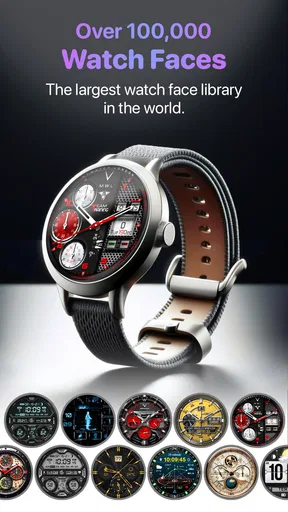
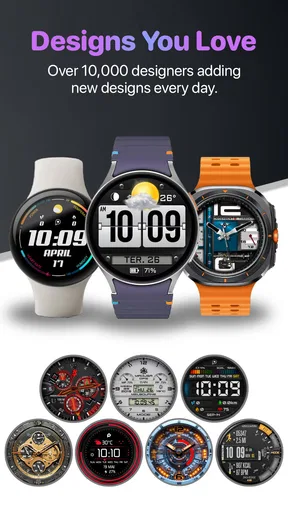
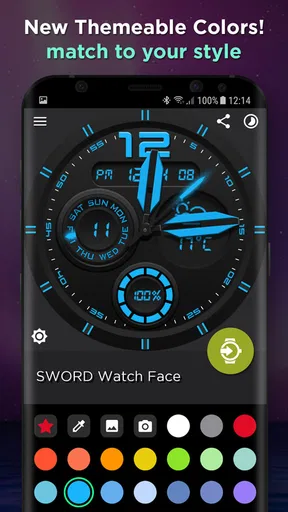
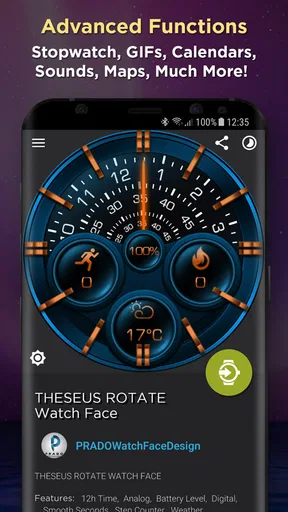
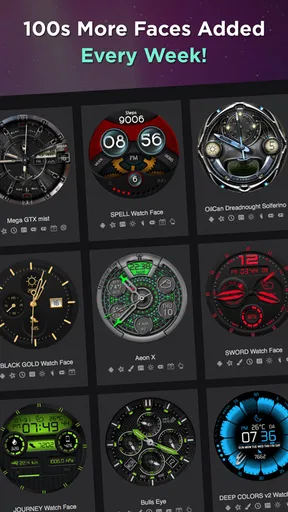
Once you dive into the app, the first thing you'll notice is its massive library of watch faces. It's like walking into a candy store, but for watch enthusiasts. You can find anything from sleek and minimalistic designs to intricate and detailed ones. And the best part? You can tweak them to your heart's content. Want to change the color scheme? Go for it. Need to add a new widget? It's all at your fingertips.
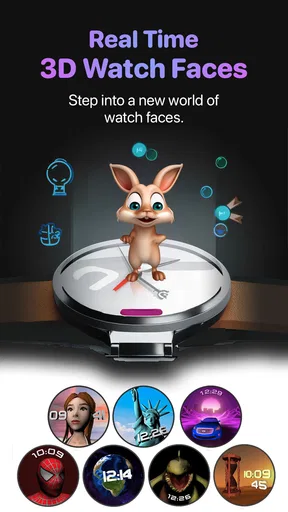
The app also offers a range of animations and interactive features. Imagine glancing at your watch to see a dynamic, animated background that changes throughout the day. It adds a whole new level of engagement and fun to your smartwatch experience.
Creating Your Own Designs
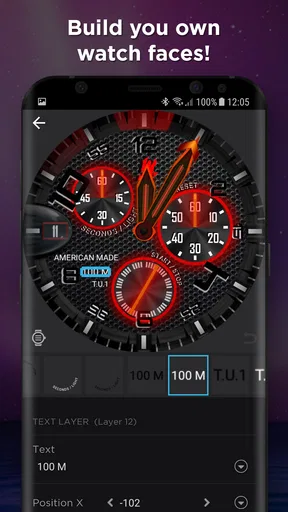
If you're the DIY type, you'll love the design tool. The interface is pretty intuitive, letting you drag and drop elements, adjust sizes, and play with colors until you get it just right. You can even upload your own images to use as backgrounds. The level of control you have over the design is impressive, making it easy to craft something that's uniquely yours.
For a useful first project, I’d start with a face I already like and change only its colors or image. That is a gentler way to learn the editor than beginning with a blank canvas, and it makes the result easier to compare with the original. Once the basic layout feels right, I’d adjust one element at a time and check that the time remains easy to read against the background.
How User-Friendly is it?
Now, I know what you're thinking – "This all sounds great, but is it easy to use?" The answer is a resounding yes. The app's layout is clean and straightforward, making navigation a breeze. Even if you're not a tech wizard, you'll find yourself zipping through the options in no time. Plus, there are plenty of tutorials and tips if you ever get stuck.
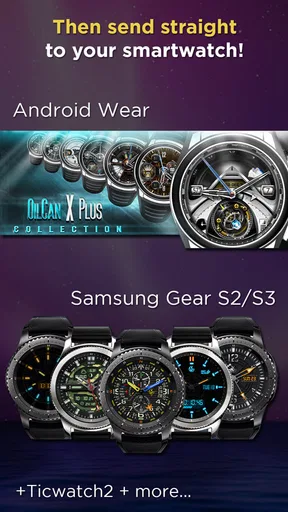
Another thing I appreciated was the seamless integration with different smartwatch brands. Whether you're on Android or iOS, the app syncs up smoothly with your device, ensuring you get the best experience possible.
Community and Sharing
One of the coolest aspects of WatchMaker is the community. Users can share their creations, and you can tap into this wealth of creativity by downloading designs from other users. It's like being part of a global club of watch face designers, where inspiration is just a click away. Plus, if you come up with something amazing, you can share it back with the community, spreading the joy.
That community angle is most useful when I treat shared faces as inspiration rather than finished answers. I can try a design to see how its layout works, then adapt the colors or simplify the details for my own needs. Before investing time in customization, I’d also check whether the face already does what I need; sometimes a small adjustment is more satisfying than starting from scratch.
Who will enjoy it, and who may prefer something simpler
This app is a strong fit for people who like to refresh their watch regularly, collect visual styles, or tinker with their own designs. It can also suit someone who wants a face for a particular situation: a restrained look for work, a more personal image for weekends, or a seasonal design for a change of mood. A realistic routine might be to browse in the evening, test one candidate the next morning, and keep it only if the time is still easy to read during a busy day.
By contrast, I would skip it if I rarely change my watch’s appearance, dislike browsing large libraries, or want the simplest possible way to choose among a few built-in faces. The default options on a watch are often quicker when all I need is a clean dial with no editing. Compared with those basic alternatives, this app offers more room to explore and personalize, but that extra choice brings more decisions and occasional setup friction.
Cost is another practical consideration. It is free to download, while optional in-app purchases range from $0.99 to $49.99 per item, so I would explore the free experience before paying for anything. It has an Everyone content rating, a 3.7 average from around 97,000 ratings, and more than 5 million installs. Those figures suggest a well-established audience, but they do not guarantee that every design or watch combination will suit me. I’d use my own device and priorities as the test.
Is It Worth the Download?
In my humble opinion, absolutely. WatchMaker Watch Faces is more than just an app; it's a playground for creativity and expression. Whether you're looking to jazz up your smartwatch or dive into designing, it's got something for everyone. The sheer variety and customization options ensure that you'll never get bored.
My recommendation comes with a condition: give yourself a little time to learn what works on your watch, and do not judge the whole experience by one face that fails to apply or looks busy on a small display. If you want reliable simplicity above all, your watch’s standard faces may be the better choice. If you enjoy trying different looks and shaping details to your taste, this is a more rewarding place to spend that time.
So, if you're ready to transform your smartwatch into a unique piece of art, give it a go. You might just find yourself spending hours crafting the perfect watch face. And who knows, maybe you'll discover a hidden talent for design along the way!
Pros
- Extensive customization options.
- Compatible with various smartwatch brands.
- User-friendly interface.
- Regular updates with new designs.
- Vibrant community for sharing designs.
Cons
- Some features require a premium subscription.
- Occasional stability issues reported.
- Limited support for older devices.
- Resource-intensive on low-end models.
- Complexity may overwhelm new users.
FAQs for WatchMaker Watch Faces
What is WatchMaker Watch Faces?
WatchMaker Watch Faces is a versatile app that allows users to customize and create their own watch faces for smartwatches. It supports a wide range of smartwatches and offers a vast library of pre-designed faces, along with tools for creating personalized designs. Users can enhance their watch's aesthetic and functionality with this app.
Is WatchMaker Watch Faces compatible with my smartwatch?
WatchMaker Watch Faces supports a variety of smartwatch brands, including Android Wear, Tizen, and Apple's watchOS. However, compatibility can vary based on the specific model and version of your device. It’s recommended to check the app’s compatibility list or contact customer support for precise information regarding your watch model.
Are there any costs associated with using WatchMaker Watch Faces?
The app is free to download, offering basic features and a selection of watch faces at no cost. However, to access the full range of advanced features, premium watch faces, and tools for creating custom designs, a subscription or one-time purchase may be required. Pricing details are available within the app.
How can I create custom watch faces with WatchMaker Watch Faces?
Creating custom watch faces in WatchMaker is user-friendly. The app provides a robust set of tools, including drag-and-drop functionality, layers, and various widgets for time, weather, and more. Users can import images, adjust fonts, and use interactive elements to design unique watch faces that reflect their personal style.
What are the app's main advantages and limitations?
The main advantages of WatchMaker Watch Faces include an extensive library of designs, powerful customization tools, and compatibility with multiple smartwatch brands. However, users may encounter a learning curve when using advanced features, and some premium content requires additional payment. Ensure your smartwatch is compatible before downloading.


